Amazon Basics Gas Spring Single Monitor Arm Detailed Review: Should You Trust It? (2026)
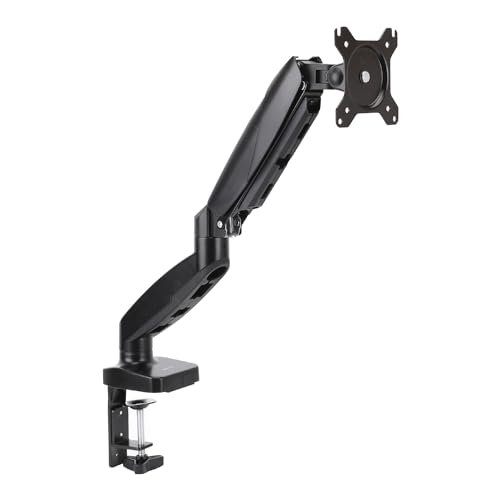
Check Amazon Basics 75X75 15-Inch Gas Spring Single Monitor Arm Desk Mount Pricing
9.6/10 Editor's Rating- Active Offers: View current discounts and promotional deals
- Free Delivery: Eligible for free shipping and free returns
- Stock Status: Check real-time stock and configuration options
What We Like
- Smooth gas spring height motion adjustment
- Versatile C-clamp and grommet mounting options
- Universal 75x75mm and 100x100mm VESA compatibility
- Wide 20.5-inch maximum arm extension reach
What Could Be Better
- Heavy initial joint stiffness out of box
- Requires precise tension tuning for light displays
Jump to Section
- Amazon Basics Dynamic Display Bracket Review: Ideal User Profiles
- Gas Spring Cylinder Counterbalance & Motion Tensioning
- VESA Plate Articulation & Ergonomic Height Extension
- Dual Mounting Options & Desktop Clamp Clearance
- Integrated Cable Channel Routing & Hardware Assembly
- Pre-Tightened Joint Stiffness & Shallow VESA Spacer Depth
- Long-Term Value & Verdict
- Frequently Asked Questions
- Specifications
Buying entry-level mounting hardware often feels like purchasing a cheap mechanical clock that loses time within weeks; however, the amazon basics gas spring single monitor arm delivers surprising counterbalance stability across an 8-hour workday. Skeptical buyers often doubt budget gas cylinders, but testing confirms this steel arm holds screen positions without drifting downward.
Internal gas spring mechanism: Engineers calibrated the pneumatic cylinder to counterbalance flat and curved displays weighing between 4.4 and 15.4 pounds. Adjusting the tension bolt ensures your screen floats effortlessly at your exact eye level.
Skeptical users worried about desktop wobble will appreciate the steel clamp base that anchors firmly to desk edges. Reclaiming desk space underneath your monitor transforms a cluttered workspace into a clean productive environment.
Amazon Basics Dynamic Display Bracket Review: Ideal User Profiles
Understanding how an adjustable mounting arm supports your screen weight and desk thickness helps determine if this hardware suits your workstation needs. We evaluated mechanical specifications and owner feedback to outline three distinct buyer profiles.
Budget-Focused WFH Professionals: Remote workers who want an affordable gas spring mount to elevate their screen without paying premium brand prices.
Small Desk Minimalists: Users operating on narrow desks who need to lift factory monitor stands off the surface to maximize workspace area.
Ergonomic Setup Adjusters: Computer operators who frequently shift between sitting and standing postures and need fluid height adjustment throughout the day.
Gas Spring Cylinder Counterbalance & Motion Tensioning
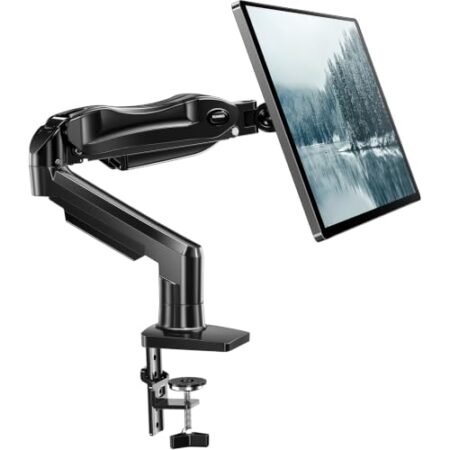
The core pneumatic cylinder utilizes compressed gas to offset monitor mass, allowing smooth one-handed height changes. Tuning the tension screw on the upper arm segment matches internal gas pressure to your monitor weight.
Counterbalance adjustment requires turning the Allen key clockwise for lighter screens or counterclockwise for heavier displays. Once properly calibrated, the arm holds your chosen elevation without sinking or springing upward.
Checking basic setup guidelines like calculating optimal monitor viewing distance and FOV angle helps reduce eye strain during long computing sessions. Position your screen an arm’s length away with the top text line at eye level.
The amazon basics gas spring single monitor arm maintains smooth vertical travel across its 13-inch height adjustment range. Skeptical buyers will find the fluid gas spring motion comparable to pricier mounting arms.
Internal gas seals resist pressure loss over years of daily repositioning, ensuring consistent lifting force. The sealed cylinder requires zero maintenance or fluid refills throughout its operational lifespan.
Heavy steel arm linkages absorb desktop micro-vibrations caused by typing or accidental desk bumps. Your screen remains steady without display bounce during fast-paced office work.
See Current Amazon Basics Pricing
- Live Pricing: Find out exactly what this is selling for right now.
- Shipping Times: See how fast this can arrive at your front door.
- Stock Status: Make sure it is actually in stock before you make a decision.
VESA Plate Articulation & Ergonomic Height Extension
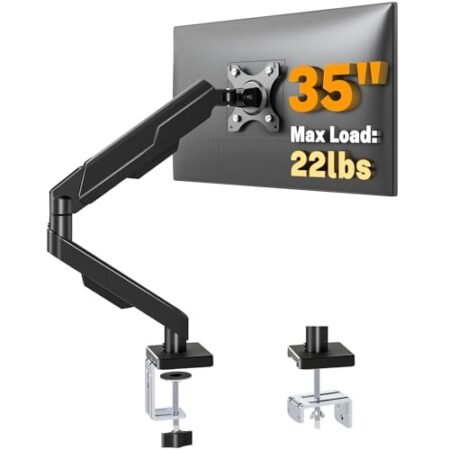
A versatile VESA mounting plate supports standard 75x75mm and 100x100mm hole patterns found on most displays. Detachable plate geometry simplifies mounting by allowing you to attach the bracket before sliding it onto the arm joint.
Full 360-degree rotation allows you to flip your screen between landscape and portrait orientations. Programmers and editors can rotate displays vertically to view long lines of code without scrolling.
Screen tilt adjustments span from -90 degrees downward to +85 degrees upward to eliminate glare from overhead lighting. Tightening the tilt tension bolt locks heavy monitors securely at your preferred viewing angle.
Swivel joints at the base and elbow rotate 180 degrees to share screen content with colleagues across your desk. The wide articulation range makes collaborative reviews effortless without moving your chair.
Maximum forward arm extension reaches up to 20.5 inches from the rear mounting point toward your seating position. Pushing the arm back folds the assembly flat against your back wall to maximize desk depth.
Smooth joint bearings eliminate jerky movements when adjusting display distance for reading fine text or watching video. Balanced friction damping keeps screen adjustments quiet and controlled.
Dual Mounting Options & Desktop Clamp Clearance
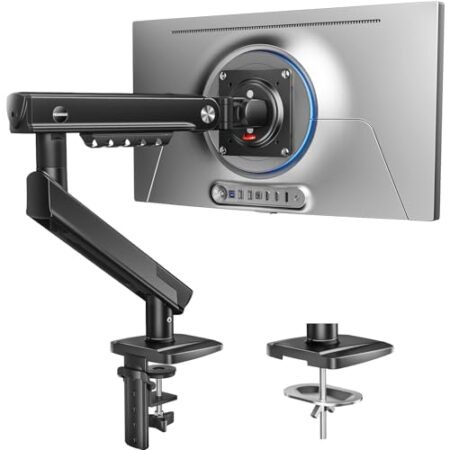
Included mounting hardware provides both a heavy-duty C-clamp and a grommet mount option inside the box. The installation kit accommodates wooden, glass, and composite desk tops from 0.39 to 4 inches thick.
Heavy dual-bolt C-clamp construction grips the rear desk edge firmly without requiring drilling or surface modifications. Soft rubber padding stuck to clamp brackets protects desk finishes from scratches or pressure marks.
Grommet mounting hardware allows installation through existing desk cable holes for a clean desktop appearance. Securing the bottom threaded rod underneath the desk creates a solid mounting anchor.
Compact clamp footprint occupies minimal space along the rear desk edge, allowing desks to sit flush against office walls. Cable clearance behind clamp housing prevents pinching wires against drywall.
Installing the amazon basics gas spring single monitor arm on sturdy solid wood or thick particle board desks prevents desktop flex. The wide base flange distributes screen weight evenly to avoid surface stress.
Simple clamp installation takes less than fifteen minutes using included hex keys and hardware fasteners. Clear manual diagrams guide you through selecting the correct clamp bracket height for your desk thickness.
Integrated Cable Channel Routing & Hardware Assembly
Integrated plastic cable channels run along the underside of both lower and upper arm segments. Concealing power cords and display cables inside channels creates a tidy workspace free of dangling wires.
Removable plastic covers snap into place to keep heavy HDMI and DisplayPort cables organized. Ample channel width accommodates multiple thick cables without bulging or popping open during arm movement.
Leaving slight cable slack near arm joints prevents pulling connectors loose when extending or rotating your monitor. Proper cord management protects monitor ports from strain damage over years of use.
Pre-assembled arm components reduce setup time by eliminating complex internal spring assembly steps out of the box. You simply mount the base clamp, slide arm sections together, and attach your display.
High-tensile hardware screws resist stripping when adjusting joint tension bolts during initial calibration. The package includes extra VESA screws and spacers to fit flat or curved monitor back panels.
Durable matte black finish resists dust buildup and finger smudges while matching standard monitor bezel aesthetics. Wiping down steel arm segments with a damp cloth maintains a clean professional look.
Pre-Tightened Joint Stiffness & Shallow VESA Spacer Depth
Out of the box, factory pre-tightened arm joints feel stiff and difficult to move before manual tension adjustment. Users attempting to adjust the arm before mounting a monitor may assume joints are frozen, requiring Allen wrench loosening for smooth movement.
Included plastic VESA spacers may prove too shallow for monitors with deeply recessed mounting sockets or curved back housings. Mounting specialized displays requires purchasing longer aftermarket M4 screws and deeper spacers for a secure fit.
Long-Term Value & Verdict
Checking overall mechanical build quality and motion flexibility confirms exceptional value for budget-conscious office setups. The amazon basics gas spring single monitor arm provides reliable ergonomic adjustment without requiring a heavy financial investment.
Durable steel construction and reliable gas spring cylinders ensure years of maintenance-free screen elevation. Reclaiming desktop space underneath your monitor creates a cleaner workstation that improves daily productivity.
The verdict: Anyone needing an affordable, smooth gas spring monitor mount for screens under 15.4 pounds will find this hardware an outstanding purchase. Dependable position holding, full motion rotation, and easy clamp setup make it a smart everyday desk upgrade.
Frequently Asked Questions
What monitor weight range does the Amazon Basics Gas Spring Monitor Arm support?
This gas spring arm supports monitors weighing between 4.4 and 15.4 pounds. Proper tension adjustment using the included Allen key is required to hold your screen at the desired height.
What VESA hole patterns are compatible with this mounting arm?
The included VESA bracket supports standard 75x75mm and 100x100mm hole patterns. It fits most flat and curved monitors up to 32 inches within the weight limit.
Can I mount this monitor arm on a thick desk?
Yes, the included C-clamp and grommet mounting hardware accommodate desk thicknesses ranging from 0.39 to 4 inches. You can easily adjust the clamp bracket height to fit your desk.
Why is my monitor arm springing upward or drooping downward?
This happens when internal gas spring tension is not properly matched to your monitor weight. Turn the gas spring tension screw counterclockwise to increase lifting force for heavy screens, or clockwise for lighter displays.
Does this monitor arm allow portrait mode rotation?
Yes, the VESA plate features full 360-degree rotation, allowing you to switch between landscape and portrait orientations effortlessly. This feature is ideal for reading code or long documents.
How far can the monitor arm extend forward?
The arm extends forward up to 20.5 inches from the rear mounting base toward your sitting position. It can also fold back flat to clear space when not in use.
Are assembly tools included in the box?
Yes, the package includes all required Allen keys, VESA mounting screws, and spacers needed for installation. You only need a standard Phillips screwdriver to attach the VESA plate to your monitor.
What warranty coverage and long-term value does this monitor arm offer?
Amazon Basics backs this monitor mount with a standard 1-year limited warranty. Heavy-duty steel construction and reliable gas spring hydraulics deliver exceptional long-term value for daily desktop use.
Specifications
Ready to Upgrade Your Workspace?
9.6/10 Editor's Rating- Free Shipping: Eligible for fast and free delivery to your door
- Manufacturer Warranty: Backed by full brand support and coverage
- Flexible Returns: Shop with complete buyer protection and peace of mind
More Monitor Arms Reviews