Minimalist Executive Desk Setup: Worth the Cost? (2026)
Quick Gear Summary: Everything in This Build
Matched for physical desk aesthetics, ergonomics, and daily focus.

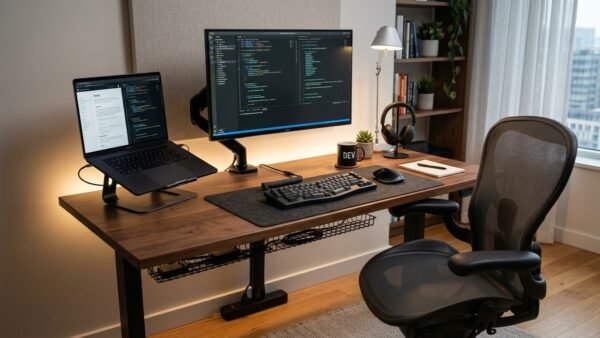
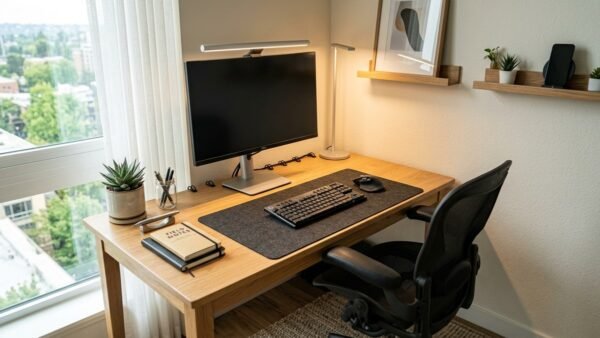
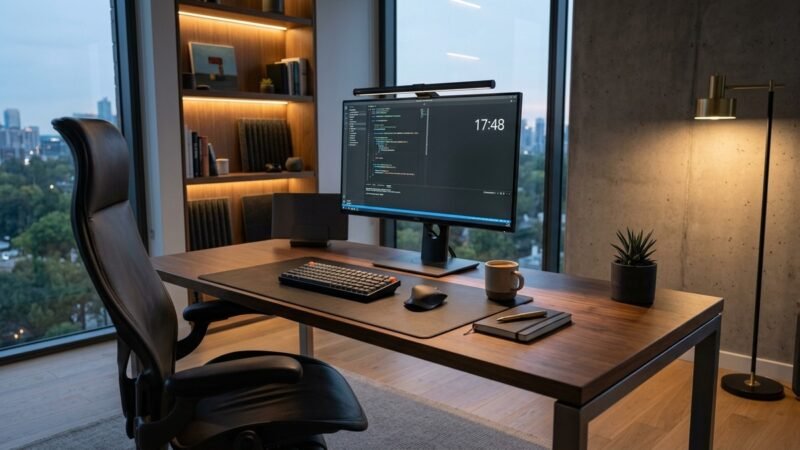
Building a minimalist executive desk setup transforms how you experience long workdays by combining refined aesthetics with serious ergonomic support. This curated workstation eliminates visual clutter, aligns your spine, and places five high-performing tools within reach.
Instead of mismatched peripherals, this minimalist executive desk setup centers on a clean workspace anchored by supple black leather, warm illumination, and reliable wire routing. Every component works together to create an inviting environment that helps you stay focused on demanding projects.
Designing a high-end home office is about more than buying furniture pieces in isolation. You need a display that renders crisp text, seating that supports eight hours of posture, and cable routing that hides power bricks completely.
We assembled this complete five-piece setup to test how the materials, lighting angles, and ergonomic dimensions hold up under daily office demands. Here is our complete blueprint for assembling this executive workspace.
Ideal User Profiles for This Desk Setup
A thoughtful executive setup balances physical comfort, screen readability, and clean desk real estate for specific work styles. Here is who benefits most from assembling this curated build:
-
The High-Focus Remote Executive: You make key business decisions, write detailed strategy docs, and jump between video calls all day. This setup delivers executive presence, plush seating comfort, and crisp 4K text rendering. -
The Minimalist Software Developer: You spend hours reviewing code repositories, terminals, and complex technical documentation. The 4K screen clarity, glare-free light bar, and clean desk mat create a distraction-free coding environment. -
The Clean Desk Enthusiast: You cannot stand dangling power cables, messy power strips, or cluttered desktop surfaces. The heavy-duty under-desk tray and low-profile peripherals keep your entire workspace organized and wire-free.
Ergonomic Alignment & Foundation Setup
A great workspace begins with physical alignment between body, seating, and screen. When you are following a complete ergonomic desk setup and posture guide during long work shifts, proper seat height prevents neck fatigue.
The centerpiece of this build is the Dell S2725QS 4K Monitor, which delivers sharp 3840 by 2160 UHD resolution across a 27-inch IPS panel. Text rendering looks clean, allowing you to view numbers and code without leaning forward.
Paired with the display is the La-Z-Boy Bellamy Executive Office Chair, featuring memory foam cushions that conform under your hips. Its contoured lumbar section supports your spine, keeping you upright through intense meetings.
Setting your screen distance roughly an arm length away keeps your neck relaxed. The wide viewing angles of the IPS panel ensure consistent contrast whether sitting upright or reclining slightly.
Adjusting the chair cylinder allows your forearms to rest parallel to the desk without tension. Waterfall seat cushion edges relieve thigh pressure and promote leg circulation all afternoon.
Positioning the monitor stand slightly back preserves room for writing notes and resting wrists. The solid base keeps the screen stable with zero wobbling during rapid typing sessions.
Together, this monitor and chair combination forms a strong ergonomic core that protects your body from fatigue. You finish long afternoons feeling energized rather than physically drained.
Surface Texture & Material Matching
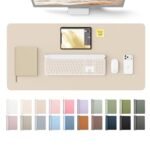
The visual warmth of this setup relies on combining rich desk finishes with dark leather textures. Laying down the YSAGi 31.5-Inch Leather Desk Mat creates a workstation zone that protects your desk from scratches.
The smooth leatherette finish provides a comfortable resting surface for your forearms during typing. Its non-slip suede underside grips the desktop firmly, preventing accidental sliding during mouse movements.
The deep black tone creates a striking contrast against executive furniture. It also deadens typing noise from mechanical keyboards, making keystrokes feel quiet and substantial.
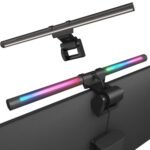
To illuminate the surface without taking up desk space, we installed the Colorpanda 16.54-Inch RGB Monitor Light Bar directly atop the display. Its counterbalanced mount rests securely on the top bezel using gravity and rubber padding.
The asymmetric lens directs light forward and downward onto your desk mat without bouncing off the screen. This keeps your display free of glare while providing even illumination across your workspace.
Rear-facing ambient RGB LEDs cast a soft color glow against the wall behind your monitor. This subtle bias lighting softens contrast between your bright display and dark walls, reducing eye strain.
Combining dark leather with asymmetric task lighting gives the desk an upscale executive appearance. It turns your workspace into an inviting sanctuary you look forward to sitting at each morning.
Under-Desk Cable Routing & Wire Concealment
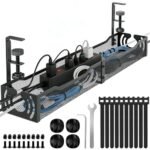
Visible dangling cables ruin the clean aesthetic of expensive office furniture. To achieve a floating workspace look, we mounted the LOVJOYSE Under Desk Cable Management Tray beneath the rear edge of the desk.
This 25.3-inch steel wire basket holds power strips, charging bricks, and display cables easily. Its open-wire grid design promotes airflow, preventing heat buildup around dense power adapters.
Clamping directly onto the desktop frame takes two minutes without drilling permanent screw holes into furniture. Soft rubber clamp pads protect the underside of your desk from scratches or pressure marks.
Routing monitor power cords and HDMI cables through the rear tray keeps all connections hidden from view. You only see a single consolidated power cord running cleanly down the back desk leg.
The Colorpanda light bar plugs directly into a rear monitor USB port, eliminating another wire from your desk surface. Everything powers on and off simultaneously with your computer workstation.
Having power bricks suspended off the floor makes sweeping around your home office effortless. It also prevents accidental cord unplugging when stretching your legs beneath the desk.
A clean cable routing setup transforms how your workspace feels from the moment you walk into the room. A clutter-free desk encourages a clear, focused mindset for tackling complex projects.
Physical Limitations & Setup Trade-Offs
While this setup looks stunning, leather surfaces naturally retain some body heat during hot afternoons without air conditioning. You may want a small desk fan nearby if your room tends to run warm.
Routing power adapters and monitor cords through the under-desk tray requires thirty minutes of initial setup time. However, spending that time organizing cords pays off with a completely wire-free workspace.
Is This Executive Build Right for You?
The minimalist executive desk setup delivers an exceptional balance of timeless design, ergonomic comfort, and distraction-free productivity. By uniting a 4K display, memory foam seating, asymmetric lighting, and under-desk cable management, this setup turns any room into a high-performance executive study.
Every component was chosen to solve a specific physical challenge, from reducing eye strain during late nights to protecting your lower back during long meetings. The cohesive black leather palette creates a sophisticated environment that makes working from home feel rewarding.
Assembling this minimalist executive desk setup provides lasting value by protecting your physical posture and keeping your daily workflow streamlined. It represents a smart, stylish investment in your daily focus and long-term workspace health.
For complete breakdowns of each individual item in this build, explore our standalone reviews: the Dell S2725QS 4K Monitor Review, the La-Z-Boy Bellamy Executive Office Chair Review, the Colorpanda 16.54-Inch RGB Monitor Light Bar Review, the YSAGi Leather Desk Mat Review, and the LOVJOYSE Cable Management Tray Review. Each standalone review covers detailed long-term owner ratings and assembly tips.
Frequently Asked Questions
How long does it take to assemble this complete desk setup?
Assembling all five components takes approximately forty-five to sixty minutes from unboxing to finished cable routing. The clamp-on cable tray and light bar install in minutes with zero drilling required.
Can I use a different desk surface with these exact components?
Yes, all five components work seamlessly across any standard wood, laminate, or standing desk surface. The clamp mounts adjust to fit desktops ranging from half an inch up to two inches in thickness.
Does the Colorpanda light bar fit securely on the Dell 4K monitor?
The counterbalanced clamp on the Colorpanda light bar fits perfectly on the top bezel of the Dell 27-inch monitor. Its rubber-padded base rests securely using gravity without touching the display glass.
Will the LOVJOYSE cable tray hold large multi-plug power strips?
The 25.3-inch steel wire basket easily accommodates wide twelve-outlet surge protectors alongside bulky power bricks. Its open design allows cords to exit freely from any side of the tray.
Is the leather desk mat suitable for precision optical mouse tracking?
The smooth micro-textured leather surface provides accurate, reliable tracking for both optical and laser computer mice. It offers just enough surface resistance for controlled cursor movement during fine design work.
What warranty coverage protects the equipment in this build?
Each product comes backed by individual manufacturer warranties ranging from one to three years covering mechanical and electronic defects. Customer support and replacement part requests are handled directly through authorized brand channels.