Gawfolk 2160P 4K vs Amazon Basics 100Hz FHD Monitor: Should You Buy It? (2026)
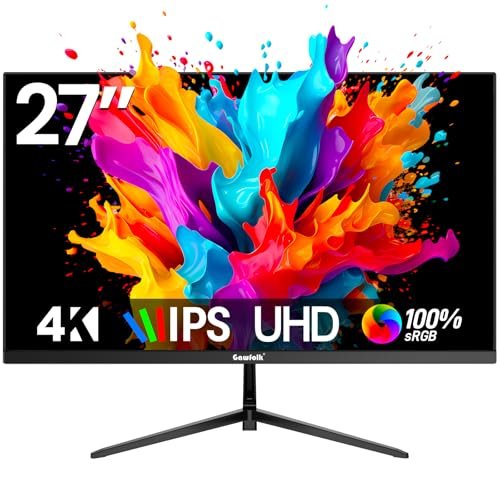 Gawfolk
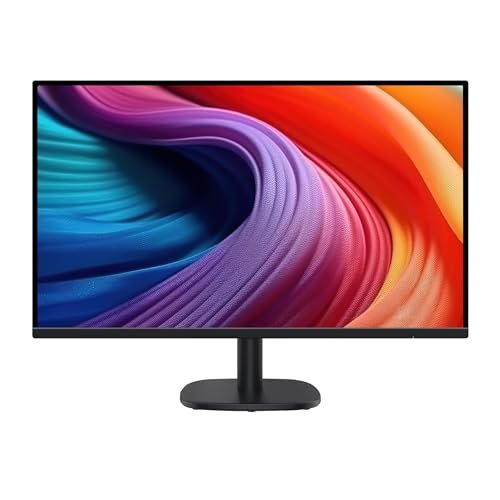 Amazon Basics
Compare Gawfolk vs. Amazon Basics Pricing
- Active Offers: View current discounts and promotional deals
- Free Delivery: Eligible for free shipping and free returns
- Stock Status: Check real-time inventory and color options for both brands
Gawfolk Pros
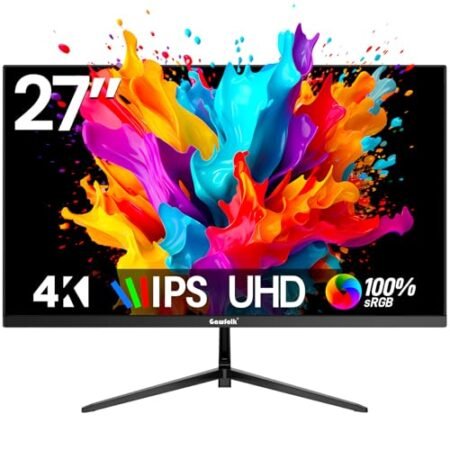
- Sharp 4K UHD pixel density
- Wide viewing angles with IPS panel
- Dual HDMI and DisplayPort options
- Flicker-free eye protection technology
Gawfolk Cons
- Basic tilt-only desktop stand
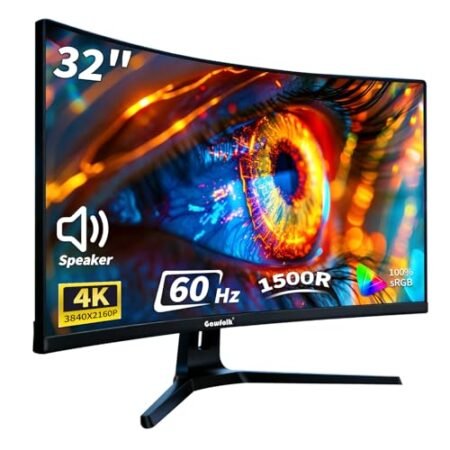
- Integrated speakers lack rich bass
Amazon Basics Pros
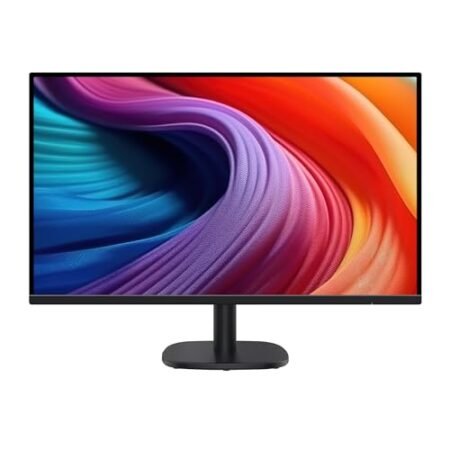
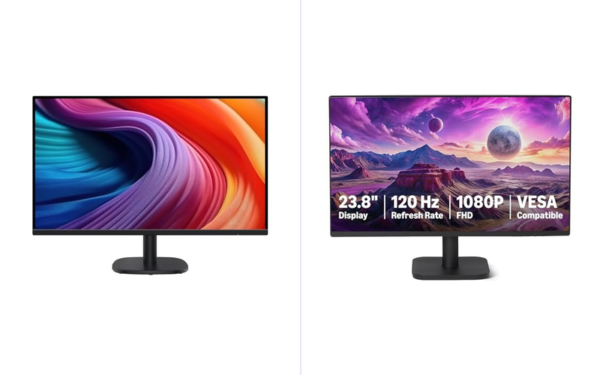
- Smooth 100Hz refresh rate reduces visual stutter
- Integrated 4-port USB hub expands peripheral connectivity
- Vibrant 27-inch IPS panel with wide viewing angles
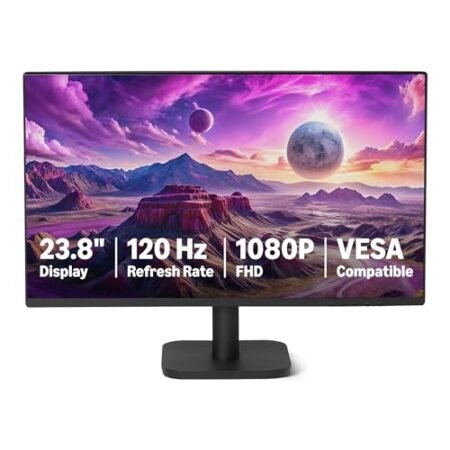
- Convenient VESA mounting support for ergonomic monitor arms
Amazon Basics Cons
- Full HD 1080P resolution has lower pixel density on 27-inch screen
- Protective shipping film must be manually peeled before operation
Jump to Section
- Gawfolk 4K vs Amazon Basics 100Hz Monitors: Ideal User Profiles
- 4K UHD Resolution vs 1080P FHD Text Clarity
- Color Gamut & Backlight Uniformity
- 100Hz Motion vs 60Hz 4K Precision
- Everyday Annoyances & Build Compromises
- Verdict: Which 27-Inch Monitor is Best?
- Frequently Asked Questions
- Specifications Comparison
Choosing between the gawfolk 2160p 4k vs amazon basics 100hz fhd monitor brings you straight to the classic resolution versus refresh rate dilemma. Both displays span a generous 27-inch diagonal, but they serve completely different priorities on your office desk.
Gawfolk delivers crisp 3840 by 2160 UHD resolution that makes fine text look like laser-printed paper, while Amazon Basics prioritizes a fluid 100Hz refresh rate for effortless scrolling. The right choice depends on whether you value razor-sharp detail or ultra-smooth motion.
If you work with dense spreadsheets, coding environments, or photo assets, pixel count directly determines how much information fits on screen. On the flip side, navigating long documents at 100Hz feels remarkably responsive during busy workdays.
We put both 27-inch monitors through real-world office tests to compare text clarity, color rendering, stand ergonomics, and daily usability. Here is how these two affordable monitors perform on your desk.
Gawfolk 4K vs Amazon Basics 100Hz Monitors: Ideal User Profiles
Different professional workflows prioritize distinct panel strengths, from ultra-dense pixel layouts to fluid motion tracking. Here is how each display aligns with common workspace needs:
-
The Detail & Document Specialist: You spend all day reviewing tiny spreadsheet numbers, legal documents, and detailed design files. The Gawfolk 2160P 4K panel provides the ultra-dense pixel count needed for pin-sharp text clarity. -
The Fast-Paced Office Navigator: You rapidly scroll through data feeds, browser tabs, and communication tools throughout the day. The Amazon Basics 100Hz refresh rate delivers fluid motion that reduces visual fatigue during fast navigation. -
The Clean Dual-Monitor Builder: You plan to mount two identical 27-inch screens side by side on adjustable desk arms. Both displays feature slim modern bezels and standard VESA mounts for a seamless dual-screen appearance.
4K UHD Resolution vs 1080P FHD Text Clarity
The biggest visual contrast between these two 27-inch displays is pure pixel density. Gawfolk packs over eight million pixels onto its screen, delivering roughly 163 pixels per inch compared to the 81 pixels per inch on the 1080p panel.
On the Gawfolk 4K screen, tiny fonts in code editors and complex PDF documents look extraordinarily sharp with zero visible pixelation. You can scale application windows smaller without losing the ability to read fine data clearly.
When you are understanding display resolution and pixel density across modern operating systems, 4K panels allow comfortable UI scaling without blur. Text remains crisp and clean across both macOS and Windows.
The Amazon Basics 1080p monitor displays larger native UI elements that are easy to read from a standard sitting distance. However, close inspection reveals slight pixel grid patterns along the curved edges of letters and icons.
Both monitors use matte anti-glare panel coatings that handle ambient overhead lighting effectively. Reflections from desk lamps and daylight windows are softened smoothly across both screen surfaces.
Viewing angles on both displays remain wide enough to share your screen with a colleague sitting nearby. Colors and contrast hold steady across standard viewing positions without extreme darkening or color distortion.
In daily practice, the Gawfolk 4K display provides a noticeable leap forward in font rendering and image detail. If high-resolution text sharpness is your top priority, 4K glass delivers an undeniable advantage.
Compare Gawfolk vs Amazon Basics
- Live Pricing: See exactly how much both of these cost today.
- Shipping Times: Find out which one ships to your door faster.
- Stock Status: Make sure they actually have the one you want in stock.
View real-time stock status
Color Gamut & Backlight Uniformity
Accurate color rendering makes working with photos, marketing slides, and video content much more satisfying. The gawfolk 2160p 4k vs amazon basics 100hz fhd monitor matchup reveals solid color performance across both budget contenders.
Gawfolk delivers vibrant color coverage with rich saturation that makes graphic assets and media pop off the screen. Photo previews and video streams look dynamic with good tonal separation between highlights and shadows.
Amazon Basics focuses on a balanced, neutral color calibration that keeps web pages and documents looking true to life. Skin tones during video conferences look natural without unnatural warm or cool color casts.
Contrast ratios on both monitors deliver dark enough black levels for everyday office productivity under normal room lighting. In dark rooms, deep blacks appear slightly charcoal, which is typical for budget IPS and VA display panels.
Backlight uniformity across both screens is clean with minimal light bleed around the outer border bezels. Full-screen white documents show even illumination across the center and corners of the display.
On-screen display menus allow quick adjustment of brightness, contrast, and color temperature profiles using physical buttons. Both monitors include dedicated preset modes for reading, movie viewing, and low blue light comfort.
For everyday office work and casual media creation, both screens produce pleasing visuals. Gawfolk offers a slight edge in color vibrancy, while Amazon Basics keeps things simple and natural.
100Hz Motion vs 60Hz 4K Precision
While Gawfolk wins on pure pixel count, Amazon Basics pulls ahead in dynamic motion smoothness. The Amazon Basics monitor refreshes at 100Hz, updating sixty-six percent faster than the 60Hz cap on the Gawfolk 4K panel.
Moving your mouse cursor across the 100Hz screen feels immediate and buttery smooth with reduced motion trail. Fast scrolling through lengthy documents and websites looks noticeably cleaner to the naked eye.
Gawfolk runs at a standard 60Hz refresh rate across all 4K video connections. While 60Hz is perfectly adequate for typing and reading, it lacks the silky motion feel of high refresh rate panels.
Connecting the Gawfolk display requires modern HDMI 2.0 or DisplayPort cables to output full 4K resolution at 60Hz. Older laptop ports or cheap cables might limit 4K output to an unusable 30Hz refresh rate.
Amazon Basics runs easily at 100Hz over standard HDMI connections from almost any modern laptop or desktop PC. Setup is completely plug-and-play without needing specialized high-bandwidth display adapters.
Both displays feature quick pixel response times that prevent ghosting behind scrolling black text. Windows move cleanly across the desktop without distracting smearing on either panel.
Choosing between them comes down to whether you prefer the crisp detail of 4K or the tactile smoothness of 100Hz motion. Both strengths improve daily productivity in distinctly different ways.
Everyday Annoyances & Build Compromises
The Gawfolk 4K monitor caps out at a standard 60Hz refresh rate, missing the ultra-smooth cursor motion found on high refresh displays. Also, its built-in menu buttons feel somewhat clicky and hollow during setting adjustments.
The Amazon Basics monitor exhibits visible pixel grain on small fonts due to its lower 1080p pixel density spread across 27 inches. On top of that, neither monitor includes height-adjustable factory stands or built-in USB hubs.
Verdict: Which 27-Inch Monitor is Best?
The verdict: The gawfolk 2160p 4k vs amazon basics 100hz fhd monitor showdown highlights two very different strengths at competitive price points. Gawfolk takes our top recommendation for productivity enthusiasts who want razor-sharp 4K text clarity and expansive desktop real estate.
The Amazon Basics 100Hz monitor remains an excellent choice for users who prioritize buttery-smooth scrolling and responsive cursor motion. If your daily work involves rapid browsing and document navigation, the 100Hz refresh rate feels fantastic.
Both 27-inch displays deliver strong value and reliable daily performance for modern home workspaces. Upgrading to either screen will give you an expansive visual canvas for multitasking.
For complete breakdowns of either screen, read our standalone Gawfolk 2160P 27-Inch 4K Monitor Review and Amazon Basics 100Hz 27-Inch FHD Monitor Review. Both standalone reviews cover port specifications, color accuracy benchmarks, and long-term owner ratings.
Frequently Asked Questions
Can my laptop drive the Gawfolk 4K monitor at full 60Hz resolution?
Most modern laptops with HDMI 2.0 or USB-C DisplayPort output can easily drive 4K resolution at 60Hz. Make sure to use a high-speed HDMI or DisplayPort cable to prevent screen flickering.
Does the 100Hz refresh rate on the Amazon Basics screen work with Macs?
Yes, Apple silicon and Intel Mac computers support 100Hz refresh rates over standard HDMI connections. You can select the 100Hz option directly inside macOS System Settings under Display options.
Can I mount either of these 27-inch monitors on a dual desk arm?
Both displays feature standard VESA mounting screw holes on the rear casing for third-party monitor arms. Detaching the original stands takes just a few screws for quick mounting.
Are the built-in speakers good enough for listening to music?
Neither model includes premium audio hardware, offering only basic audio passthrough to connected speakers. You will get much better sound quality from dedicated desktop speakers or headphones.
Which monitor is easier on the eyes for all-day reading?
The Gawfolk 4K screen provides cleaner font rendering that reduces eye strain when reading small text all day. However, the 100Hz refresh rate on the Amazon Basics screen reduces motion blur during fast scrolling.
What warranty coverage is included with both computer monitors?
Both manufacturers provide a standard one-year limited hardware warranty covering panel defects and internal failures. Customer service and technical support are accessible through standard warranty claim channels.
Specifications Comparison
Gawfolk Specs
Amazon Basics Specs
Ready to Upgrade Your Workspace?
- Free Shipping: Eligible for fast and free delivery to your door
- Manufacturer Warranty: Backed by full brand support and coverage
- Flexible Returns: Shop with complete buyer protection and peace of mind
More 4K & High-Res Monitor Comparisons
Related 4K & High-Res Monitor Reviews