Quntis Computer Monitor Lamp In-Depth Review: Is It Worth the Money? (2026)
Check Quntis Computer Monitor Lamp Pricing
9.1/10 Editor's Rating- Active Offers: View current discounts and promotional deals
- Free Delivery: Eligible for free shipping and free returns
- Stock Status: Check real-time stock and configuration options
What We Like
- Auto-dims to match room brightness
- Blocks glare on glass screens
- Filters harsh blue light output
- Saves valuable desk surface space
What Could Be Better
- Blocks top-mounted camera lenses
- Does not fit thick monitors
Jump to Section
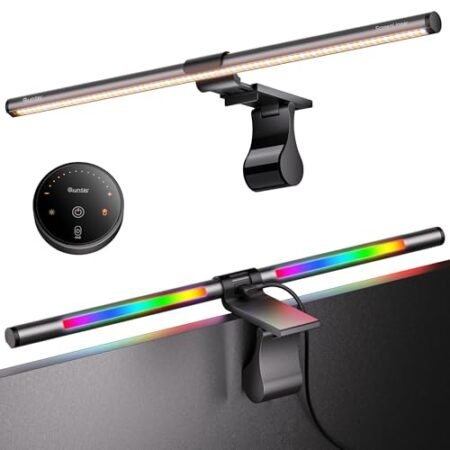
If you work past 8:00 PM staring at spreadsheets, then upgrading your desk lighting becomes a serious priority. The quntis computer monitor lamp aims to solve that problem with its screen-friendly illumination.
Adding a dedicated light bar above your screen helps reduce the contrast between a bright monitor and a dark room. This simple change provides immediate relief for tired eyes during those late-night grind sessions.
The main draw: This specific model features an auto-dimming ambient light sensor that adjusts automatically to your room. It keeps your workspace perfectly lit without creating annoying reflections on the glass.
Quntis Computer Monitor Lamp Review: Ideal User Profiles
Matching your workflow with the right light bar prevents buyer remorse. This unit fits three very specific desk setups perfectly.
The Late-Night Coder: Workers pulling overtime in dark rooms benefit heavily from the auto-dimming function. It keeps their workspace visible without overwhelming their vision.
The Cluttered Desk Owner: Anyone dealing with limited desk real estate will appreciate the top-mounted design. It frees up space normally taken by a traditional desk lamp base.
The Color-Sensitive Designer: Graphic artists need accurate color representation on their physical sketches and desk notes. The high Ra98 rating ensures natural colors look true to life under the light.
Asymmetrical Optical Design & Glare Prevention
A major problem with standard desk lamps is how they wash out your display with direct light. The asymmetrical optical design here fixes that by directing the beam exclusively downward and forward.
This approach ensures the light hits your keyboard and mouse pad instead of bouncing off the glass. You get a clearly illuminated desk without fighting annoying bright spots on your screen.
Your screen clarity remains completely intact during daytime and evening work. The angled light path creates a sharp cutoff line right at the bezel.
Most cheap light bars spill illumination everywhere and cause unwanted reflections. This unit keeps the light tightly controlled in a specific geometric footprint.
Working on glossy displays becomes much more comfortable when you remove overhead glare. You stop squinting through reflections to read small text.
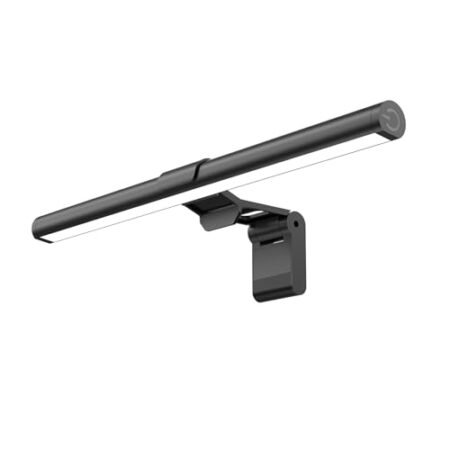
The matte black finish of the bar itself prevents any distracting self-reflection. It blends neatly into the background while keeping your focus entirely on the work.
See Current Quntis Pricing
- Live Pricing: Find out exactly what this is selling for right now.
- Shipping Times: See how fast this can arrive at your front door.
- Stock Status: Make sure it is actually in stock before you make a decision.
Auto-Dimming Sensor & Brightness Controls
Room lighting shifts constantly throughout a typical workday from morning sun to evening shadows. A built-in ambient light sensor continuously tracks these environmental changes.
When activated, the system automatically tweaks its output to maintain a steady 900 lux level. This means you never have to manually adjust the dials when the sun goes down.
Manual stepless dimming is also available for those who prefer total control over their setup. You can dial in the exact intensity you want with a simple touch.
The controls let you smoothly transition from a bright daylight mode to a soft evening glow. Touching the sensitive top panel responds instantly without any physical button clicks.
Color temperature options range from a warm 3000K to a crisp 6500K daylight white. You can switch to a warmer hue in the evening to prepare for sleep.
Having both automatic and precise manual options gives you complete flexibility. It handles the guesswork for you while keeping custom settings just a tap away.
Eye Protection & Blue Light Filtering
The 78 LED beads inside the bar provide smooth, flicker-free illumination across your entire desk surface. This stable light source helps stop the subtle micro-flickers that tire out your eyes.
Certifications for IEC/TR 62778 confirm this model actively filters out harsh blue light spikes. Lowering your blue light exposure is a proven way to improve comfort during long shifts.
According to the Harvard Medical School’s eye strain prevention tips, proper lighting adjustments are critical for avoiding digital eye fatigue. Getting the right ambient glow around your screen makes a huge difference in daily comfort.
Using this light bar softens the harsh contrast between a glowing display and a dark background wall. Your eyes no longer struggle to adjust back and forth between extreme brightness levels.
The high Ra98 color rendering index also plays a big part in visual relaxation. Colors pop naturally on your desk, reducing the mental effort required to read printed documents.
You stop feeling that dry, burning sensation after an eight-hour coding marathon. The consistent, balanced output keeps your vision relaxed from morning coffee to quitting time.
Mounting Clip Mechanism & Desk Space Relief
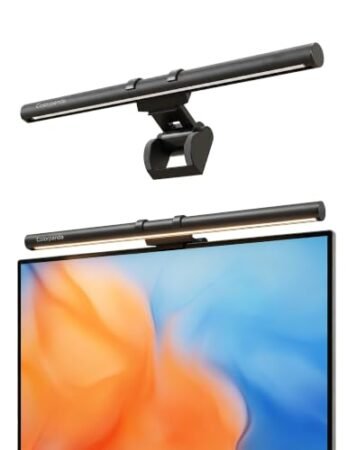
Heavy desk lamps take up valuable real estate on smaller home office desks. Moving the light source to the top of your monitor frees up serious room.
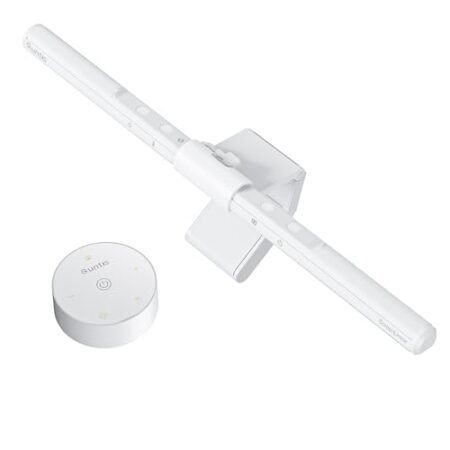
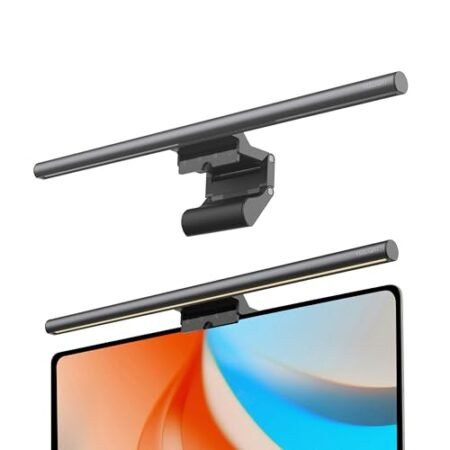
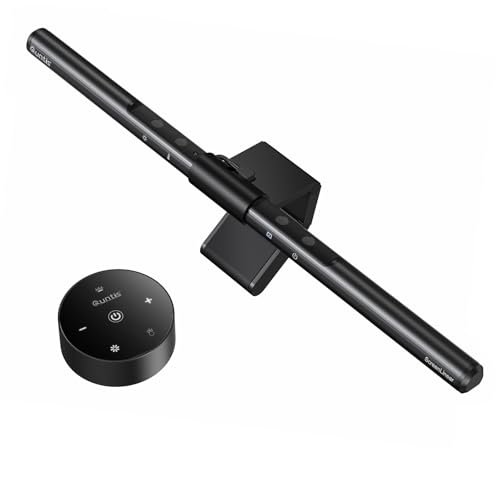
The weighted clip uses gravity to sit securely on the back of your display housing. It balances the front bar perfectly without requiring any messy adhesive strips or screws.
This quntis computer monitor lamp setup takes less than ten seconds from unboxing to mounting. You simply rest the clamp over the top edge and plug in the USB cable.
It remains surprisingly stable even if you accidentally bump your desk while typing. The rubberized contact points grip the plastic bezel gently to prevent any scratching.
Cable management is practically invisible since the wire drops straight down behind the stand. It draws power directly from your computer or a basic phone charger plug.
You gain back an entire corner of your desk for notebooks, coffee cups, or extra peripherals. The floating design completely declutters your immediate working area.
Long-Term Value & Verdict
Investing in your visual health pays off quickly when you spend forty hours a week at a desk. The aluminum alloy construction ensures this unit will outlast several computer upgrades.
You get premium features like an ambient sensor and high-CRI LEDs without paying a massive premium. The sturdy mounting clip feels built to survive daily adjustments and screen swaps.
The verdict: If you struggle with eye fatigue, the quntis computer monitor lamp offers a highly practical upgrade. It delivers exceptional glare control and automatic dimming in a sleek, space-saving package.
Frequently Asked Questions
Does the Quntis monitor lamp fit curved screens?
The standard weighted clip works best on flat monitors with standard bezel thicknesses. Some users fit it on mildly curved screens, but steep curves may cause the light to spill onto the edges of the display.
Can I power the light bar directly from my PC?
Yes, the included USB cable plugs straight into any standard USB-A port on your desktop or laptop. It pulls minimal power and turns on automatically when your computer wakes up.
Will the mounting clip damage my thin-bezel monitor?
The clamp features soft silicone pads on both the front lip and the rear counterweight. These pads grip the plastic housing gently without putting harmful pressure on the actual LCD glass.
Does it block the webcam on top of my screen?
The front lip rests over the center bezel, which can partially obscure built-in webcams on very thin laptops. Most standalone desktop monitors have enough bezel space to fit both a webcam and the clip side-by-side.
How does the auto-dimming feature actually work?
A small sensor on the top of the bar constantly measures the ambient room brightness. It dynamically raises or lowers the LED output to keep the light hitting your desk at a steady 900 lux.
What is the warranty period for this model?
The manufacturer typically includes a standard one-year warranty covering electrical defects and LED failures. You should always keep your original purchase receipt in case you need to request a replacement unit.
Specifications
Ready to Upgrade Your Workspace?
9.1/10 Editor's Rating- Free Shipping: Eligible for fast and free delivery to your door
- Manufacturer Warranty: Backed by full brand support and coverage
- Flexible Returns: Shop with complete buyer protection and peace of mind
More Monitor Light Bars Reviews