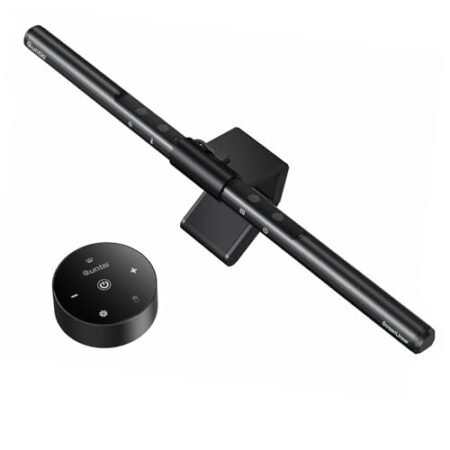
SAMPHON Monitor Light Bar Full Review: Should You Skip It? (2026)
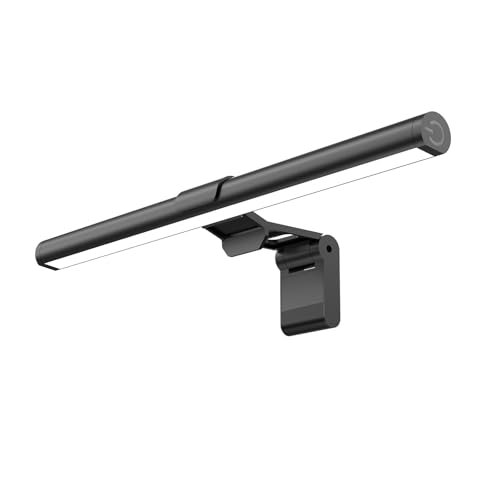
Check SAMPHON Monitor Light Bar Pricing
9.1/10 Editor's Rating- Active Offers: View current discounts and promotional deals
- Free Delivery: Eligible for free shipping and free returns
- Stock Status: Check real-time stock and configuration options
What We Like
- 800 lux maximum desk illumination
- Asymmetric 45 degree optical design
- Toolless counterweight mounting clip
- Stepless brightness and memory settings
What Could Be Better
- Physical switch attached to fixture
- Short 11.8 inch housing length
Jump to Section
- SAMPHON Screenbar Lamp Review: Ideal User Profiles
- Illumination Output & Surface Area Coverage
- Asymmetric Optical Angle & Eye Protection
- Color Temperature Modes & Dimming Controls
- Counterweight Mounting Mechanism & USB Power
- Flaws & Real-World Limitations
- Long-Term Value & Verdict
- Frequently Asked Questions
- Specifications
Although overhead lighting fixtures frequently cause ciliary muscle contraction during glare exposure, the samphon monitor light bar casts direct surface lumens across desk surfaces without hitting the eyes. High-density light diodes emit 800 lux of central brightness across a thirty-by-twenty-inch footprint to lower visual fatigue.
Users looking for workspace illumination often examine The Downsides of Using a Monitor Light Bar before committing to screen-mounted fixtures. This compact unit bypasses traditional desktop bases while delivering balanced light distribution for long workstation sessions.
Why it stands out: The fixture combines asymmetric optical refraction with a toolless gravity pivot to eliminate screen reflection instantly. Its stepless side switch allows instant color temperature shifts without taking up valuable desk real estate.
SAMPHON Screenbar Lamp Review: Ideal User Profiles
Selecting the right overhead desk lamp depends on monitor dimensions, glare sensitivity, and desktop layout needs. Understanding specific user profiles helps clarify whether this lighting geometry fits your daily productivity setup.
- Late-Night Developers: Coders working in low-ambient lighting benefit from zero screen glare and reduced eye fatigue during extended programming sprints.
- Minimalist Workstation Creators: Operators running shallow desks gain valuable desk space by mounting the light source directly onto the display top bezel.
- Curved Monitor Owners: Users with curved displays receive balanced desk illumination through the adaptable counterweight bracket mounting mechanism.
Illumination Output & Surface Area Coverage
The light bar projects output across a wide focal plain to ensure clear document legibility. Standard lamps spread beam output indiscriminately, whereas this specialized tube concentrates photons downward onto your keyboard.
Peak output reaches eight hundred lux at central alignment point under full power draw. That brightness level illuminates small text printed on physical reference documents without creating harsh hotspots.
The spatial cone spans thirty inches in width and twenty inches in depth across desktop surfaces. This footprint covers most standard desktop writing pads and peripheral placement zones seamlessly.
Uniformity values remain steady across the target area to prevent uneven contrast pockets. Operators working long hours notice fewer brightness falloffs when scanning from edge to edge.
Diffuser materials soften diode output to eliminate harsh specularity across polished desk mats. Smooth optical diffusion preserves consistent visual clarity across mixed surface textures.
Placing this tube above primary displays cleans up ambient shadow cast from overhead room bulbs. The resulting downward wash creates an isolated lighting dome tailored for concentrated focus.
See Current SAMPHON Pricing
- Live Pricing: Find out exactly what this is selling for right now.
- Shipping Times: See how fast this can arrive at your front door.
- Stock Status: Make sure it is actually in stock before you make a decision.
Asymmetric Optical Angle & Eye Protection
Optical engineers angled the inner light path at forty-five degrees to bypass glass panel reflections. Visual glare bouncing off glossy panels causes unnecessary eye strain over extended work hours.
By directing rays directly toward the task surface, light never enters the user line of sight. This precise cut-off prevents dark room glare while maintaining sharp peripheral awareness.
The design of the samphon monitor light bar keeps light off the display glass completely. Photons bounce away from eyes, preventing uncomfortable squinting during prolonged spreadsheet editing.
Pupillary contraction stays stabilized because contrast ratios between screen pixel brightness and desk ambient light remain equalized. Balanced illumination reduces the physical stress placed on optical nerves throughout long shifts.
Lower glare intensity allows computer users to maintain proper posture without leaning backward or forward. Consistent head positions protect neck vertebrae from excessive forward angle strain.
Compared to standard gooseneck lamps, this fixture avoids washing out screen color saturation. Graphics performance and color accuracy remain intact while desktop papers receive crisp white light.
Color Temperature Modes & Dimming Controls
Three hardware preset temperatures alter ambient atmosphere with simple switch clicks. Users transition between three thousand Kelvin, four thousand Kelvin, and six thousand five hundred Kelvin modes.
Warm settings at three thousand Kelvin filter blue light emissions for calm late-night sessions. Cool white settings at six thousand five hundred Kelvin boost alertness during high-intensity morning tasks.
Holding the mechanical side button activates continuous stepless dimming mechanics smoothly. The internal control board responds instantly, giving fine control over precise lux output levels.
Integrated flash memory saves output configurations when power cuts off or restarts. Powering up the workstation automatically restores your exact chosen brightness and color temperature preference.
Mechanical switches on the right edge provide physical tactile clicks for mode switching. Tactile control eliminates the need for smartphone apps or software drivers running in background tasks.
Smooth dimming transitions avoid irritating flickering that triggers headaches in flicker-sensitive individuals. Stable current regulation ensures silent electrical operation without hum or buzz noise.
Counterweight Mounting Mechanism & USB Power
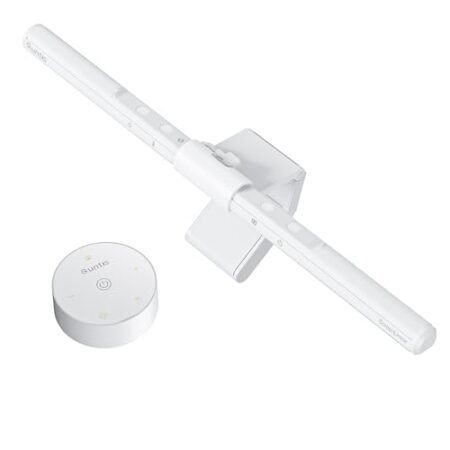
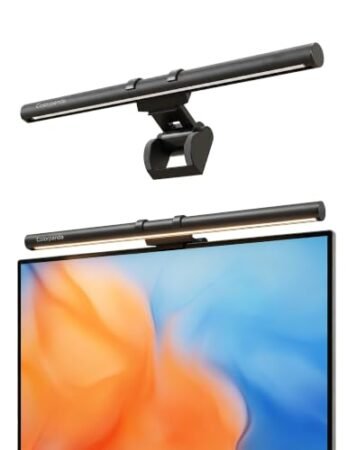
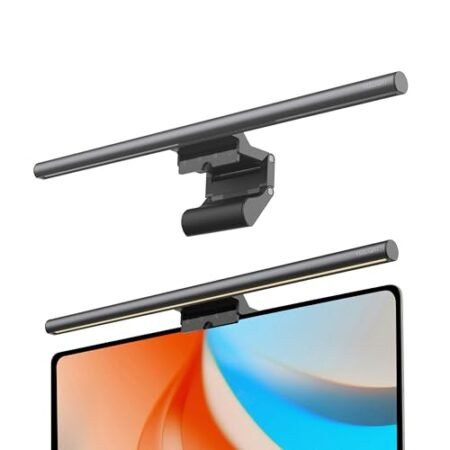
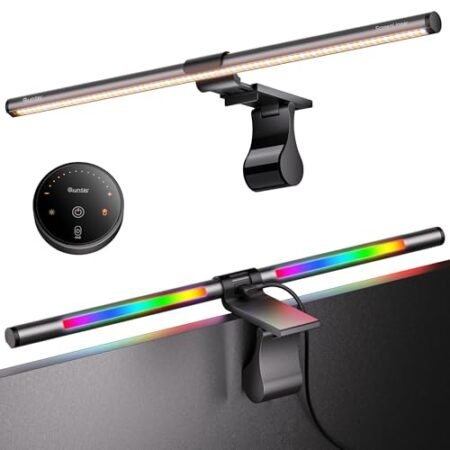
The patented rear counterweight clip attaches over bezel edges without requiring tools or screws. Weighted balance arms keep the tube stable without pressing forcefully against display panels.
Hinge pads friction-grip monitor housings securely to prevent sliding during desk adjustments. The fixture remains firmly positioned on flat screens and curved displays alike.
Power delivery runs over a standard USB cable connected directly to computers or wall adapters. Low power draw keeps energy usage low while freeing up power outlet sockets.
The compact eleven-point-eight-inch frame aligns cleanly with various display bezels. Its lightweight construction avoids weighing down monitor arm tension springs or gas cylinders.
Workspace cleanup happens immediately because base stands disappear from desk surfaces completely. The cleared desk area provides extra room for oversized mousepads or external audio gear.
Cable routing stays neat behind display stands by trailing straight down behind screen housings. Overall wire clutter drops dramatically compared to traditional desktop gooseneck lamps.
Flaws & Real-World Limitations
Physical side switches force users to reach up toward screen corners for manual setting adjustments. Reaching for edge controls can slightly nudge lightweight monitor mounts out of alignment if pressed firmly.
The eleven-point-eight-inch length offers slightly less lateral coverage on ultra-wide panels exceeding thirty-four inches. Dual monitor setups or wide screens might leave outer desk corners slightly dimmer.
Long-Term Value & Verdict
Investing in desktop illumination protects vision while freeing up precious desk space. The solid diode lifespan and low energy consumption offer years of consistent lighting output without bulb replacements.
The samphon monitor light bar delivers impressive brightness and custom glare control for compact modern setups. Reliable asymmetric optics make this screenbar a smart ergonomic addition to home offices.
The verdict: For workers seeking crisp surface lighting without screen glare, this bar light hits every functional mark. Simple mounting and intuitive dimming deliver excellent everyday utility.
Frequently Asked Questions
Does the samphon monitor light bar fit on curved screens?
Yes, the weighted clip mounting structure rests balance loads across both flat and curved monitor bezels. Friction pads prevent slipping without placing damaging pressure against delicate curved display glass.
How is the monitor light bar powered?
The unit draws operating power through a standard USB connection hooked into your computer or wall brick. That low-voltage setup eliminates extra bulky power bricks around your desk outlets.
Does this screen light bar reflect off gloss displays?
The optical lens channels light downward at a forty-five degree asymmetric angle to prevent screen reflections. Light strikes your desk area directly while keeping glass panels completely shadow-free and glare-free.
Can I adjust brightness levels smoothly?
Long presses on the mechanical side switch trigger stepless dimming across all available brightness ranges. Releasing the switch locks in your exact target illumination level instantly.
Does the light bar retain my settings when turned off?
An onboard memory chip saves your current color temperature and brightness configuration automatically. Turning the lamp back on restores your exact previous lighting preference immediately.
Will this lamp obscure my webcam?
Slim bezel clip designs sit low on top edges, but wide webcam brackets might need slight positioning adjustments. Stacking your webcam directly on top of the counterweight clip solves potential fit issues easily.
What color temperatures are available on this light bar?
The fixture provides three distinct modes including warm three thousand Kelvin, neutral four thousand Kelvin, and cool six thousand five hundred Kelvin output. Quick button taps cycle through each color temperature mode effortlessly.
Does mounting this light bar require tools?
Installation requires zero tools or adhesive tapes due to the gravity balance clip mechanism. Placing the bracket over your monitor bezel anchors the fixture securely within seconds.
Specifications
Ready to Upgrade Your Workspace?
9.1/10 Editor's Rating- Free Shipping: Eligible for fast and free delivery to your door
- Manufacturer Warranty: Backed by full brand support and coverage
- Flexible Returns: Shop with complete buyer protection and peace of mind
More Monitor Light Bars Reviews