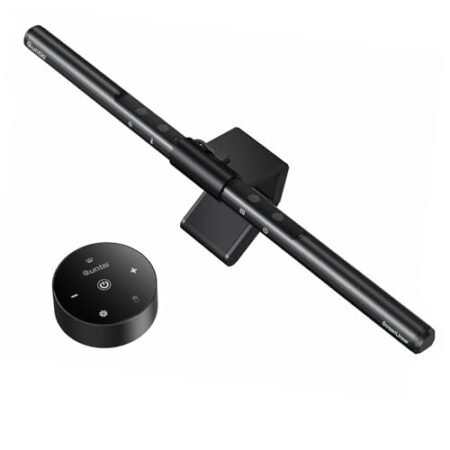
Quntis Monitor Light Bar Pro White In-Depth Review: Should You Get It? (2026)
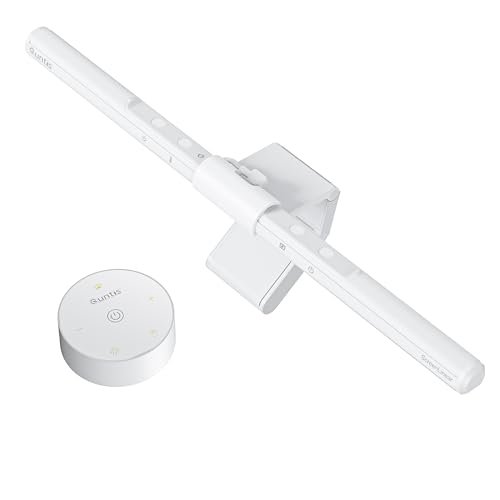
Check Quntis Monitor Light Bar Pro White Pricing
9.2/10 Editor's Rating- Active Offers: View current discounts and promotional deals
- Free Delivery: Eligible for free shipping and free returns
- Stock Status: Check real-time stock and configuration options
What We Like
- Dual wireless remote and touch controls
- Asymmetrical glare-free optic design
- Smart auto-dimming ambient sensor
- Space-saving webcam compatible clamp
What Could Be Better
- Requires open rear monitor space
- Remote requires separate AAA batteries
Jump to Section
- Quntis White ScreenBar Review: Ideal User Profiles
- Asymmetrical Optics & Glare Reduction Mechanics
- Wireless Remote & Dual Control Functionality
- Auto-Dimming Intelligence & Lighting Spectrum
- Clamp Mounting & Desk Space Optimization
- Flaws & Real-World Limitations
- Long-Term Value & Final Verdict
- Frequently Asked Questions
- Specifications
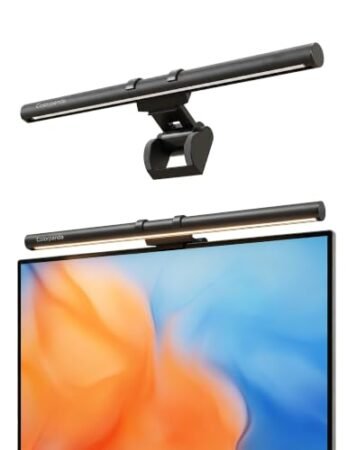
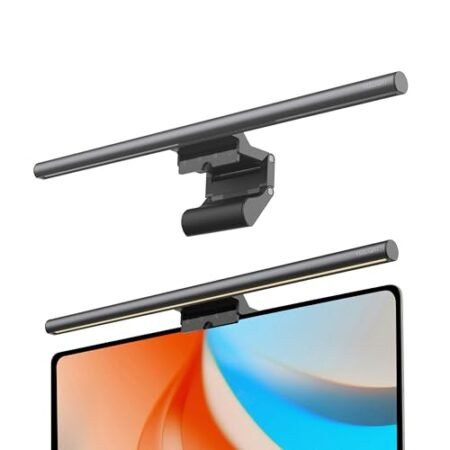
When upgrading a home office on a budget, investing in overhead desk illumination delivers strong financial ROI by eliminating the need for bulky floor lamps; taking advantage of the quntis monitor light bar pro white during an intense 10-hour workday protects visual health while maximizing productive output without inflated hardware costs. This sleek lighting fixture mounts cleanly atop your display, directing balanced illumination across your desktop surface.
Why it stands out: By shifting light downward across your workspace rather than throwing light directly toward your display panel, the fixture prevents washouts and harsh glare. Users get crisp document visibility and a clean setup look without buying expensive aesthetic desk gear.
Long evening editing sessions become far more comfortable on the eyes when ambient glare is eliminated. This white edition offers a refreshed aesthetic that matches minimalist desktop themes effortlessly.
Quntis White ScreenBar Review: Ideal User Profiles
Selecting the right desktop lamp depends heavily on your daily workflow needs and room lighting conditions. Identifying where this fixture fits into your routine helps ensure you get maximum value from your workspace upgrade.
- Minimalist Office Designers: Professionals who want to free up valuable desk real estate and keep a clean white color scheme will love this display-mounted fixture.
- Late-Night Content Creators: Video editors and writers working through late-night shifts benefit directly from glare-free asymmetrical lighting that limits eye fatigue.
- Budget-Conscious Students: Readers seeking high-end lighting features like auto-dimming and remote control without a massive financial outlay find great long-term return here.
Asymmetrical Optics & Glare Reduction Mechanics
Precision beam pathing keeps illumination directed strictly onto your keyboard and paperwork. Traditional desk lamps throw light in all directions, causing distracting reflections on glass monitor panels.
By casting light at a controlled forward angle, screen reflections are avoided entirely. This optical geometry keeps your panel clear so dark colors remain deep and crisp.
Working in a dark room often forces your eyes to constantly adjust between bright displays and dark desk surroundings. Steady forward lighting balances the brightness across your vision field during extended computer sessions.
The internal optical lens diffuses LED hotspots into a smooth, broad pool of light. This prevents harsh shadows around your hands while typing or taking notes.
Visual comfort stays high even during marathon 12-hour shifts. Eliminating glare prevents the subtle eye strain that leads to tension headaches over time.
This focused beam distribution makes high display brightness unnecessary. Lowering monitor output alongside proper desk lighting saves energy and preserves screen life.
See Current Quntis Pricing
- Live Pricing: Find out exactly what this is selling for right now.
- Shipping Times: See how fast this can arrive at your front door.
- Stock Status: Make sure it is actually in stock before you make a decision.
Wireless Remote & Dual Control Functionality
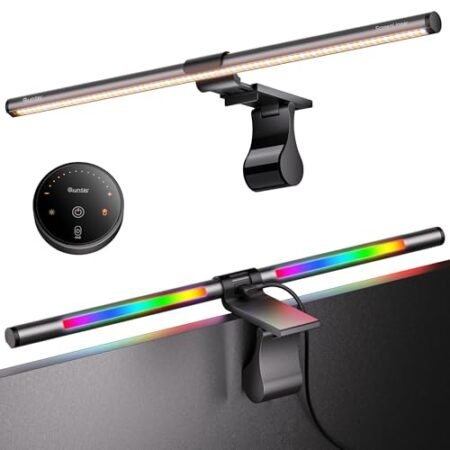
Desktop control access is simplified using the included puck remote. Having physical dials right next to your mouse allows instantaneous brightness adjustments without reaching over your display.
In addition to the remote, touch-sensitive pads on the light bar itself offer direct backup adjustment options. Independent controls ensure you never get stuck if remote batteries run low unexpectedly.
Adjusting color temperature between 3000K and 6500K lets you tailor light warmth to match your working hours. Switching to warm amber tones in the late evening signals your mind to wind down while keeping desk documents visible.
Published research on workstation lighting and eye strain highlights how proper workplace illumination reduces physical discomfort. Operating the quntis monitor light bar pro white helps maintain ergonomic visual standards across long work shifts.
The puck remote responds quickly to rotary turns and top presses. Color temp and dimming levels adjust smoothly without annoying steps or sudden jumps.
Setting up the wireless puck takes seconds on any desk surface. The compact base sits flat without cluttering your mouse pad region.
Auto-Dimming Intelligence & Lighting Spectrum
Smart ambient sensing takes the guesswork out of setting proper light output. The built-in light sensor reads room conditions continuously to maintain target 900 lux illumination on your desk.
As afternoon sunlight fades into dusk, the internal system gradually ramps up output. You stay focused on your tasks without stopping to manually adjust lamp settings.
A built-in 2-hour timer acts as a helpful prompt to step away and rest your eyes. Micro-breaks are essential for sustaining long-term focus during heavy research sessions.
High color rendering performance ensures that physical paper colors and artwork match natural daylight hues. Graphic designers get accurate color perception when examining physical proofs on their desk.
Flicker-free driver circuits prevent hidden LED pulsing that causes silent fatigue. Clean power delivery keeps light output steady across all brightness settings.
Consistent illumination quality helps maintain high reading speeds throughout late study sessions. The balanced beam keeps text sharp across large notebooks or reference manuals.
Clamp Mounting & Desk Space Optimization
Zero desk footprint is achieved by mounting the light bar directly onto top display bezels. Clearing off bulky lamp bases frees up valuable surface area for audio interfaces or notebook pads.
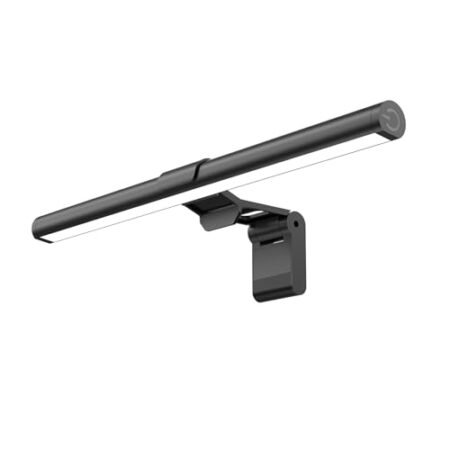
The three-stage counterweight clamp secures tightly without squeezing delicate display glass. Soft padding along touchpoints guards your monitor frame against scuffs or scratches.
Curved panels and thick professional displays fit securely within the clamp’s adjustable range. Balanced weight distribution prevents the bar from tipping or shifting during screen adjustments.
The top lip of the mount fixture accommodates compact webcams without covering camera lenses. Streaming setups stay streamlined since lighting and video gear share a single mounting spot.
Cable routing stays neat thanks to the rear USB power connector. Plugging directly into a computer USB port or powered hub eliminates wall brick mess.
The clean white housing creates a cohesive aesthetic when paired with modern light-toned desk accessories. Matte surface finishes prevent dust marks and fingerprint smudges over time.
Flaws & Real-World Limitations
Mounting considerations may arise if your monitor features an ultra-thick rounded back power housing. Extremely bulky rear enclosures can require careful clamp positioning to achieve a perfectly level angle.
Plus, the wireless desktop puck operates on standalone batteries rather than rechargeable USB power. Keeping spare batteries on hand prevents unexpected downtime when the remote needs fresh power.
Long-Term Value & Final Verdict
Investing in desktop lighting delivers measurable value by guarding your eyesight and preserving precious desk real estate. Avoiding visual strain keeps your daily output steady while eliminating desktop clutter.
Durable housing materials and flicker-free LED components guarantee consistent performance across years of daily use. Choosing the quntis monitor light bar pro white provides high-end automated lighting features at an accessible entry point.
The verdict: For anyone building a clean, modern workspace, this fixture delivers exceptional lighting quality and smart controls. It earns a strong recommendation for students, creators, and remote workers alike.
Frequently Asked Questions
Does the Quntis monitor light bar reflect on glossy screens?
No, the asymmetrical optical design casts light downward and forward without shining on the display surface. This prevents panel glare even on highly reflective glass monitors.
How is the light bar powered?
The light bar powers directly via an included USB cable connected to your monitor, computer, or wall adapter. It does not require a bulky external power brick on your desk.
Will this light bar fit on curved monitors?
Yes, the three-stage weighted clamp adjusts to fit most flat and curved monitors comfortably. Its counterweight design keeps the light bar stable without damaging the screen frame.
Can I place a webcam on top of the light bar?
The top surface of the clamp mount is specifically shaped to hold standard webcams securely. You can easily position your webcam without blocking the camera lens or light path.
How does the wireless remote control work?
The desktop puck remote connects wirelessly to the light bar for instant adjustments. Rotating or tapping the puck changes color temperature and brightness without touching the bar.
What is the color temperature range of this lamp?
The fixture adjusts continuously from warm 3000K amber tones to cool 6500K daylight white. This allows you to match your lighting to daylight hours or evening work sessions.
How does the auto-dimming feature function?
An integrated ambient light sensor reads surrounding room brightness automatically. It then adjusts light output to maintain an optimal 900 lux desktop lighting level.
Does the light bar remember my previous settings?
Yes, the internal memory retains your last brightness and color temperature selection upon power-up. You won’t need to reconfigure your preferred settings every morning.
Specifications
Ready to Upgrade Your Workspace?
9.2/10 Editor's Rating- Free Shipping: Eligible for fast and free delivery to your door
- Manufacturer Warranty: Backed by full brand support and coverage
- Flexible Returns: Shop with complete buyer protection and peace of mind
More Monitor Light Bars Reviews