YEELIGHT 250LM Monitor Light Bar Complete Review: Worth the Price? (2026)
Check YEELIGHT 250LM Monitor Light Bar Pricing
8.7/10 Editor's Rating- Active Offers: View current discounts and promotional deals
- Free Delivery: Eligible for free shipping and free returns
- Stock Status: Check real-time stock and configuration options
What We Like
- High Ra95 color rendering index
- Zero screen reflection asymmetric light stream
- Stepless color temperature adjustment control
- Durable full metal housing construction
What Could Be Better
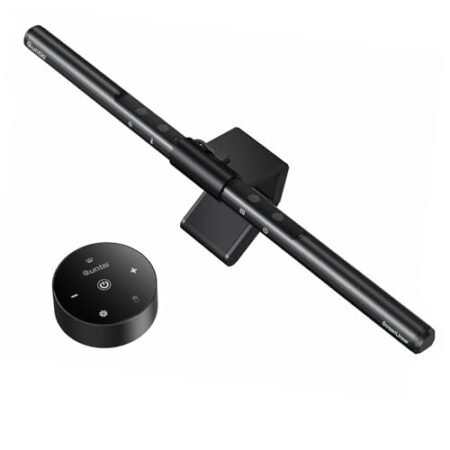
- Touch buttons require precise finger touch
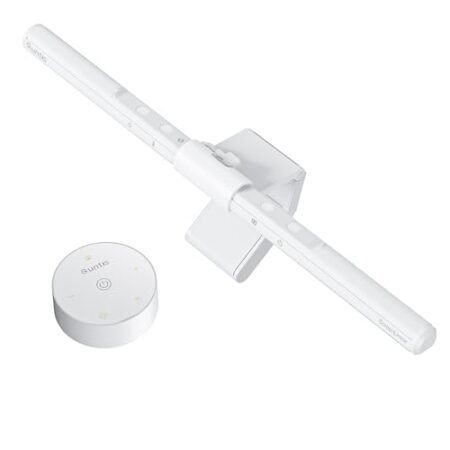
- Lacks wireless desktop remote controller
Jump to Section
- YEELIGHT ScreenBar Review: Ideal User Profiles
- Asymmetric Optical Design & Screen Glare Reduction
- Color Rendering Index & Visual Accuracy
- Color Temperature Tuning & Touch Controls
- Full-Metal Mounting Clamp & Camera Compatibility
- YEELIGHT Monitor Light Bar Disadvantages & Limitations
- Long-Term Workspace Value & Final Verdict
- Frequently Asked Questions
- Specifications
While many desk illumination upgrades demand a premium outlay; the yeelight 250lm monitor light bar offers high-end eye comfort at a price point that yields immediate financial ROI. This affordable fixture protects your visual health while eliminating costly desk clutter in one smart purchase!
Why it stands out: Upgrading your desk overhead lighting reduces fatigue during long work sessions, which protects productivity over extended project hours. The balanced illumination output creates an optimal workspace environment without inflating your operational setup budget.
By replacing traditional bulky lamps with an overhead clip-on profile, users reclaim valuable desk territory for essential work equipment. This energy-efficient unit operates via standard USB power, making it a cost-effective lighting addition for any home office setup.
YEELIGHT ScreenBar Review: Ideal User Profiles
Selecting the right monitor light bar depends heavily on your daily workflow demands and ambient room conditions. The following profiles outline who benefits most from adding this specific illumination bar to their workstation setup.
- Budget-Conscious Professionals: Individuals who want premium optical features like an RG0 blue light rating without overspending on luxury desk accessories.
- Color-Critical Content Creators: Designers and video editors who rely on high Ra95 color accuracy to preserve visual fidelity during intense editing sessions.
- Minimalist Remote Workers: Home office users striving to eliminate desk lamp bases while maintaining clear video call visibility.
Asymmetric Optical Design & Screen Glare Reduction
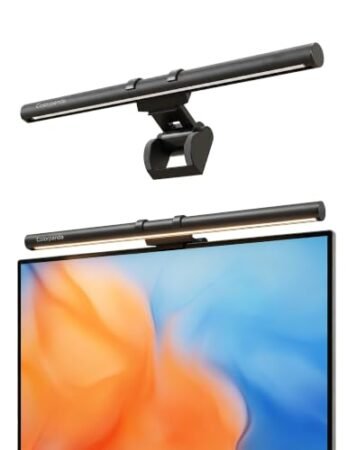
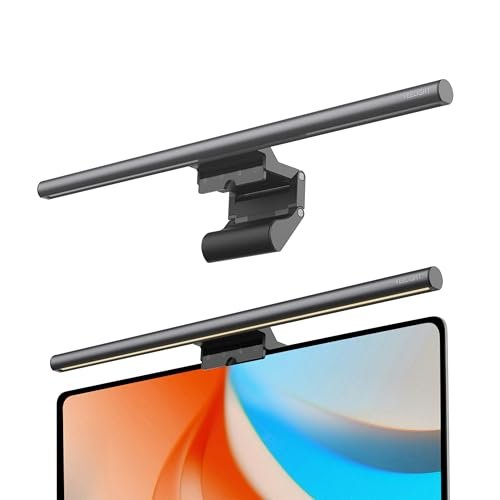
Screen reflections often cause eye strain during extended nighttime work blocks. This unit uses tuned optical mirrors to direct light downward across your desk rather than onto the glass surface.
Cutting off harsh direct light paths keeps the visual output clean and predictable. Users can read physical documents clearly without experiencing annoying monitor washout.
Sticking to strict international lighting standards means the beam stays comfortable for your eyes during long work sessions. If you want to brighten your desk space without added screen glare, expert advice on choosing a monitor light bar for your setup shows how to pick the right model for your needs.
Flicker-free driver technology supports steady current flow across all brightness levels. This steady stream prevents invisible micro-flicker that typically triggers tension headaches during late work sessions.
Placing light where it is needed most helps maintain optimal contrast ratios on your digital display. As a result, your eyes move smoothly between physical papers and the digital monitor without constant focus shifts.
Operating this fixture alongside subtle ambient room lighting establishes balanced illumination across your whole desk surface. It balances peripheral brightness so your visual field stays comfortable throughout the day.
See Current YEELIGHT Pricing
- Live Pricing: Find out exactly what this is selling for right now.
- Shipping Times: See how fast this can arrive at your front door.
- Stock Status: Make sure it is actually in stock before you make a decision.
Color Rendering Index & Visual Accuracy
Color fidelity plays a central role when reviewing any workspace lamp for creative tasks. Achieving an Ra95 rating means colors appear vibrant, natural, and true to life under its LED array.
Standard office desk lamps frequently distort subtle hues by pushing artificial yellow or harsh blue spikes. This light bar uses 78 high-quality LED beads to project a rich and balanced color spectrum.
Graphic designers can verify exact print tones without leaving their computer desk. Correcting colors under proper light reduces expensive project re-prints and asset revisions downstream.
The full-spectrum illumination also enhances contrast when reading small text fonts on physical papers. You won’t need to squint or strain your eyes while inspecting technical schematics or contracts.
Maintaining high color accuracy across long work shifts helps prevent visual mental fatigue. Your brain spends less energy processing distorted shades, keeping you sharp during complex editing tasks.
Integrating the yeelight 250lm monitor light bar into your creative workflow ensures visual consistency across physical and digital media. It delivers studio-grade rendering quality without requiring an expensive specialized studio fixture.
Color Temperature Tuning & Touch Controls
Adjusting warmth throughout the workday supports natural circadian rhythms and boosts task focus. This fixture offers a versatile color range spanning from warm 2700K up to crisp 6500K sunlight tones.
Early morning focus blocks benefit from cool daylight settings that keep your mind alert and active. Soft warm tones work better during evening wrap-up hours to promote relaxation before sleep.
Integrated touch controls allow quick switching between predefined color temperature presets with a single tap. You can transition from intense reading modes to casual relaxed viewing settings instantly.
Long-press continuous dimming gives complete control over final light intensity across all color ranges. Fine-tuning brightness prevents unnecessary eye strain when working in dark room conditions.
Direct touch capacitive sensors on the housing keep button clutter off your main desk surface. The responsive surface registers inputs quickly without requiring heavy force that might tilt the fixture.
Memorizing your last brightness selection ensures seamless startup whenever you turn on your desktop power. You won’t waste valuable time readjusting settings at the beginning of each workday.
Full-Metal Mounting Clamp & Camera Compatibility
Build quality is evident in the weighted full-metal housing and sturdy counterbalanced clamp structure. The aluminum chassis dissipates heat effectively while offering durable long-term structural integrity.
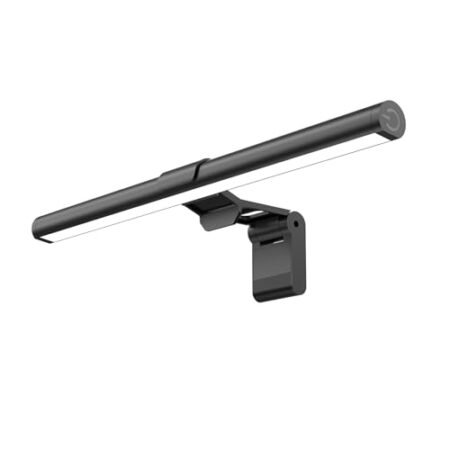
A retractable spring clamp accommodates screen thicknesses ranging from 0.3 to 1.1 inches. It mounts securely on flat screens and subtle curved panels without damaging delicate panel bezels.
The low-profile top mount sits neatly above screen frames without blocking modern thin-bezel displays. You can position webcams alongside or above the mounting bracket without causing awkward frame angles.
Power comes via a detachable 1.5-meter USB cable connected directly to your computer or hub. Eliminating external heavy wall transformers keeps your cable management channels neat and streamlined.
Saving desktop space remains one of the most compelling reasons to adopt a screen-mounted bar setup. Clearing traditional lamp bases frees up valuable space for audio interfaces or notepad planners.
The overall structural engineering balances stability with effortless angle adjustments up to twenty degrees. You can dial in the perfect light vector to suit your seating position in seconds.
YEELIGHT Monitor Light Bar Disadvantages & Limitations
While touch controls keep the chassis sleek, tap response requires precise finger contact to change brightness smoothly. Users who prefer physical dial controls or desktop wireless remotes might find top-bar tapping slightly less convenient.
Maximum output caps out at 250 lumens, which provides ample task lighting but won’t illuminate an entire dark room on its own. It functions best as a focused desk task light rather than a primary room light source.
Long-Term Workspace Value & Final Verdict
Spending money on ergonomic workstation accessories yields long-term dividends by reducing physical discomfort and eye strain over years of daily use. This durable metallic unit combines exceptional color accuracy, blue light filtering, and space savings into a high-value package.
The verdict: Choosing the yeelight 250lm monitor light bar offers a cost-effective way to upgrade your workspace comfort without straining your budget. Its premium Ra95 optical engine and sleek form factor deliver impressive performance that far exceeds its modest price point.
If you want to reclaim physical desk real estate while protecting your vision during late-night work sessions, this fixture is a smart investment. It delivers professional lighting performance that pays off in daily comfort and productivity.
Frequently Asked Questions
Does the YEELIGHT ScreenBar work on curved monitors?
Yes, the retractable counterweight clip fits both flat panels and curved screens between 0.3 and 1.1 inches thick. It balances securely without putting excess pressure on delicate monitor edges.
How is the YEELIGHT light bar powered?
It operates using a standard USB power connection via an included 1.5-meter cable. You can plug it into a computer USB port, display hub, or standard USB wall adapter.
Does the light bar block mounted webcams?
The low-profile mounting clip leaves enough space along the top bezel for most standard webcams. You can easily center your camera next to or directly on top of the bracket.
Is the yeelight 250lm monitor light bar bright enough for nighttime reading?
The yeelight 250lm monitor light bar produces 250 lumens of focused asymmetric light directly onto your desktop workspace. This provides plenty of glare-free illumination for reading books and reviewing documents in low ambient light.
Can you adjust the light temperature manually?
Yes, long-pressing the touch sensor provides smooth stepless color temperature tuning between 2700K and 6500K. You can also tap to instantly toggle through three predefined lighting modes.
Does this light bar produce glare on glass screens?
No, the specialized optical design casts light downward at an angle to completely avoid screen bounce. Your monitor remains completely clear and glare-free throughout use.
Specifications
Ready to Upgrade Your Workspace?
8.7/10 Editor's Rating- Free Shipping: Eligible for fast and free delivery to your door
- Manufacturer Warranty: Backed by full brand support and coverage
- Flexible Returns: Shop with complete buyer protection and peace of mind
More Monitor Light Bars Reviews